
Software should bend to your business,not the other way around. Off-the-shelf (OTS) ERPs are great to start with because they’re fast to deploy and easy on the budget. But as teams grow, workarounds pile up, and decisions slow down, the same “ready-made” system can hold you back. This guide helps you decide when to switch from a generic ERP to a custom solution and how to make that move with less risk.
Table of Contents
What is Off-the-Shelf vs. Custom ERP? And why the choice matters?
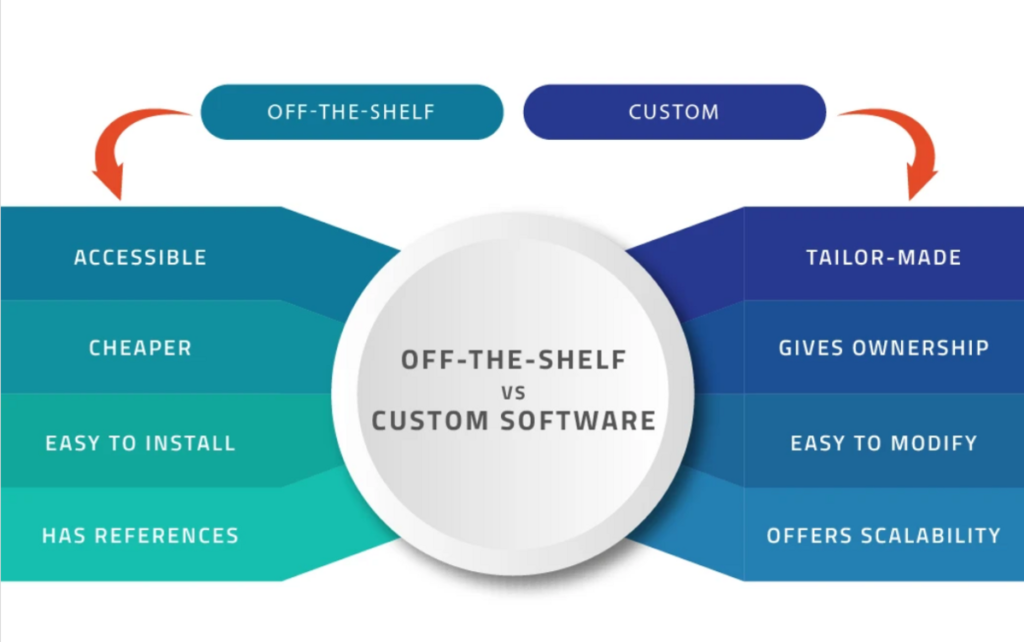
Off-the-shelf ERP is a pre-built product with standard modules and settings. It covers common needs well and gets you live quickly.
Custom ERP is tailored to your workflows, roles, rules, and reports. It fits how you work today and scales with where you’re going tomorrow.
Choosing right matters because ERP becomes your operating backbone. The wrong fit creates hidden costs-manual work, poor visibility, low adoption, and missed opportunities.
Real use cases
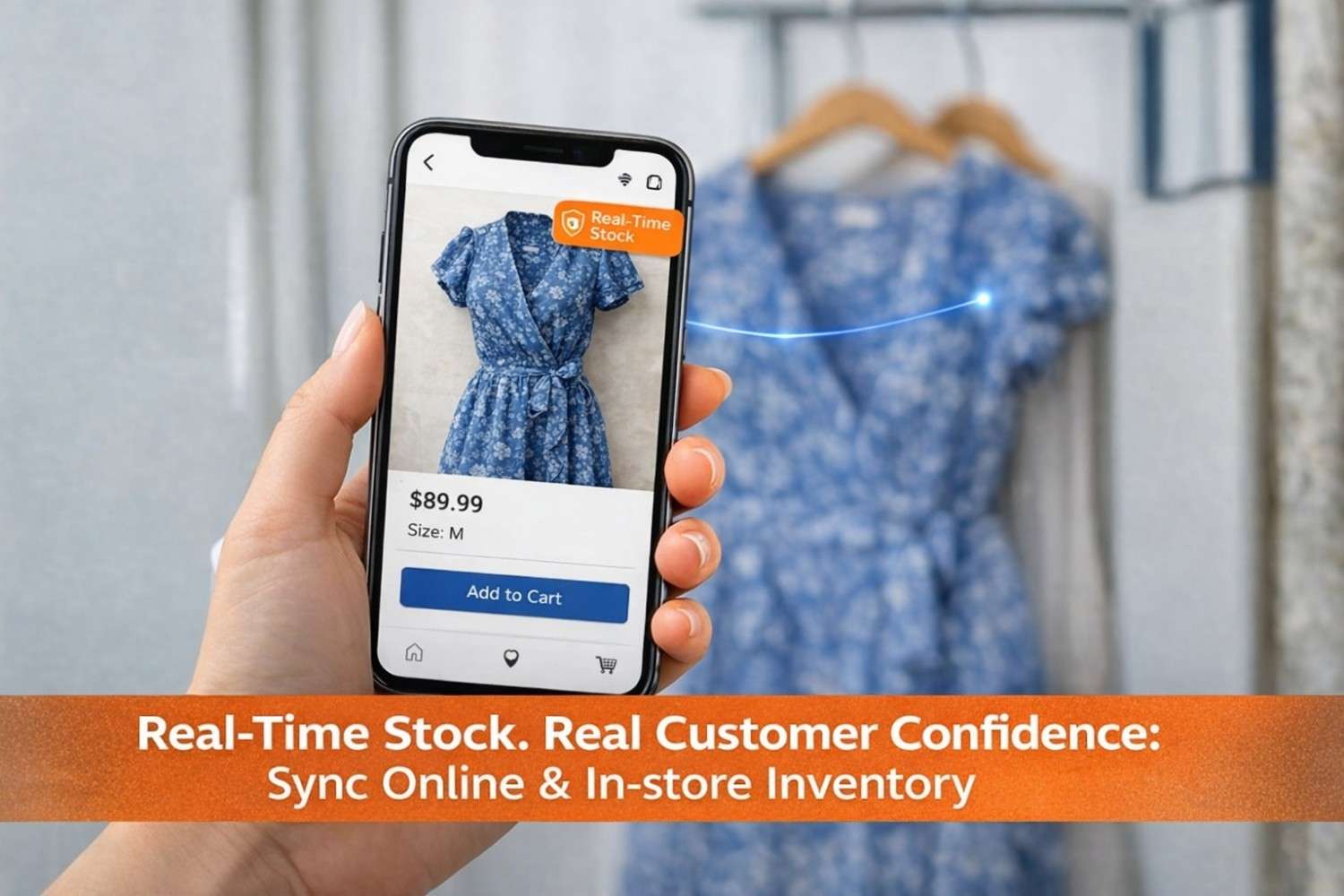
- Fashion distributor starts on OTS for basic inventory and billing. Six months later they’re juggling 10,000+ variants (size/color) and regional price lists—custom logic becomes essential.
- Restaurant chain runs POS + kitchen ops on OTS. As they add cloud kitchens, central production, and AI-assisted invoice capture, they need tighter recipe costing, batch control, and app-level workflows a generic setup can’t handle.
- Field/van sales team needs offline entry, route planning, and on-spot invoicing. OTS handles orders; custom ERP automates stock transfers to vans, route-wise pricing, and instant collections.
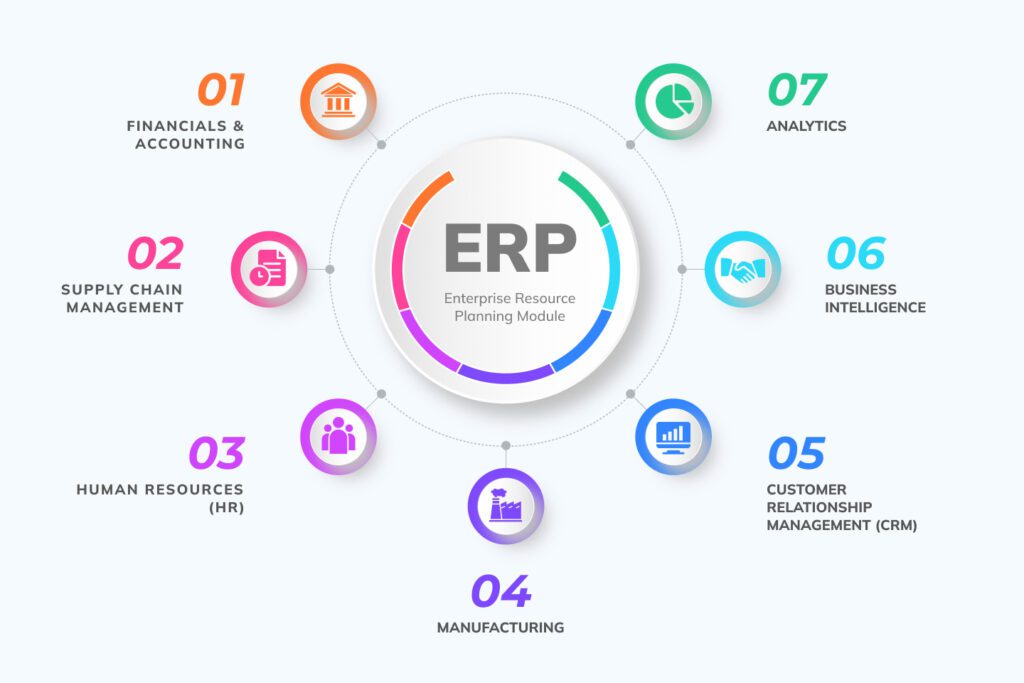
Components of a Basic ERP Solution
Handles all your money matters – from tracking income and expenses to managing invoices, bank transactions, and taxes.
Keeps customer and sales data in one place. You can track leads, send quotes, create invoices, and run loyalty programs.
Purchasing
Manages supplier orders – from requesting quotes and creating purchase orders to receiving goods and recording their full costs (including shipping or customs).
Tracks everything in stock – quantities, expiry dates, product batches, and movements between branches or warehouses.
Stores employee details, attendance, shifts, leaves, and calculates salaries automatically.
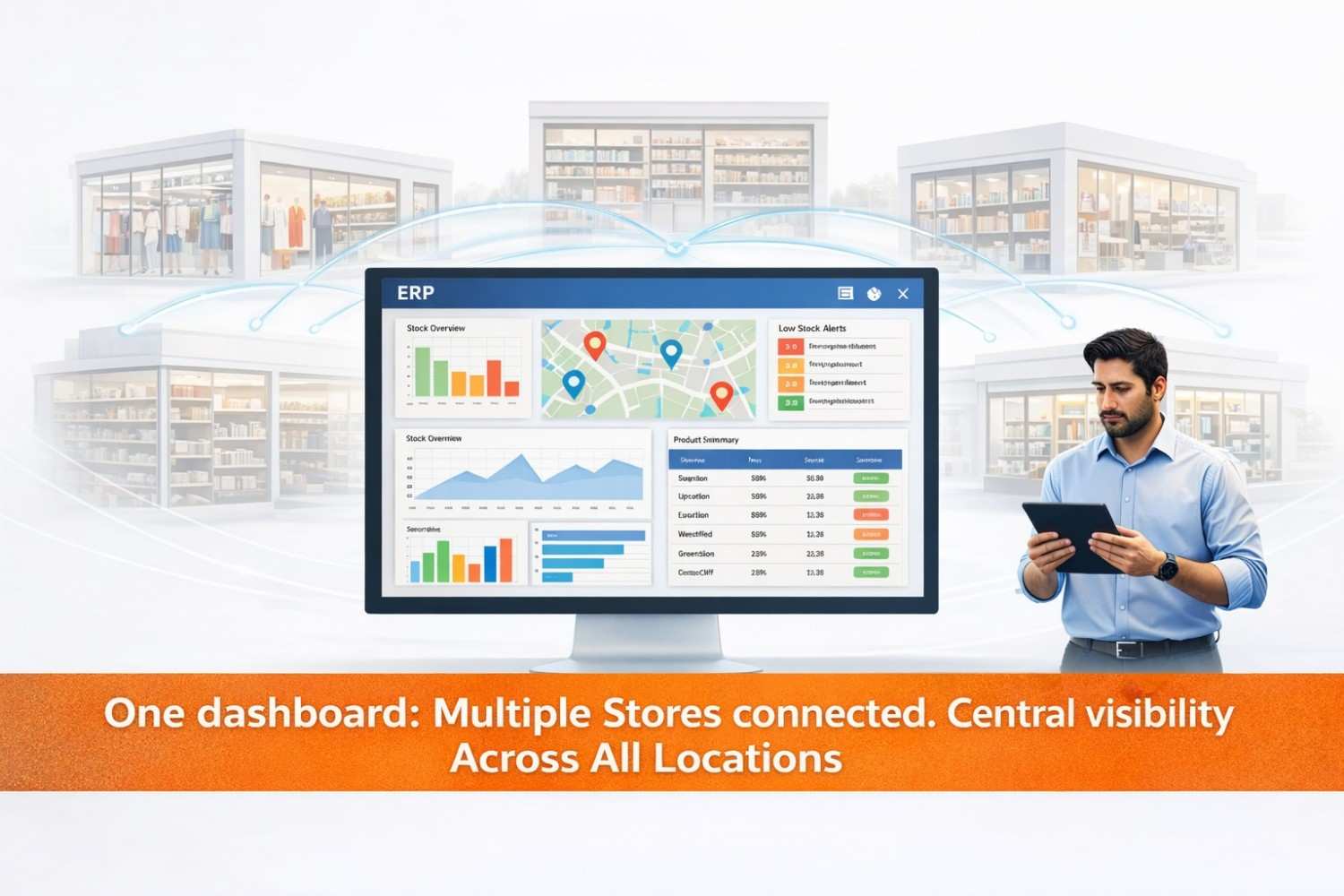
Gives you real-time insights through easy-to-read charts and reports so every team can see how the business is performing.
When to Switch from Generic to Custom ERP: Signs to Watch
1. Your team still uses Excel workarounds
Red flag: People download data daily, re-calculate margins, and email “latest” sheets.
Real example: Finance exports sales and stock, re-keys landed costs, then shares a “master” workbook. Numbers don’t match the ERP, audits get messy, and month-end closes slip.
Why custom helps: Build the exact landed-cost formula, discount logic, and margin views into the ERP so teams stop stitching data outside.
2. You’re changing your workflow to suit the software
Red flag: “The system can’t do partial production, so we changed our process.”
Real example: A manufacturing unit must split a job card mid-cycle but the OTS flow is fixed. They hack it with extra items and adjustment entries.
Why custom helps: Model your real steps—split lots, rework flows, approvals, and exceptions—so the system mirrors operations.
3. Reporting is still manual
Red flag: Leadership asks for a weekly GM% report per channel, but your dashboard can’t filter by channel + region + aging.
Real example: Analysts spend 10 hours a week combining POS, e-com, and wholesale data to answer basic questions on pricing and stockouts.
Why custom helps: Create role-wise dashboards and scheduled reports with your exact filters, KPIs, and drill-downs.
4. You’re paying more but getting less
Red flag: New users, add-on modules, and connectors keep raising your bill, yet adoption drops.
Real example: Subscription plus three third-party plugins outprice a focused custom build over 24 months—with none of the edge cases solved.
Why custom helps: Optimize total cost of ownership. Pay for what you need, own what matters, and cut plugin sprawl.
5. The team is frustrated
Red flag: Slow screens, too many clicks, and fields that don’t match how people actually work.
Real example: Store staff hate the POS flow because returns, exchanges, and loyalty are buried. They avoid it, and data quality suffers.
Why custom helps: Design screens for real users—fewer clicks, clearer fields, built-in validations—so adoption goes up and errors go down.
6. New systems won’t integrate cleanly
Red flag: You add e-commerce, sales tools like CPQ, or a WMS and the ERP can’t keep up.
Real example: Orders sync, but pricing rules, MOQs, and bundle kits don’t—resulting in mismatched invoices and angry customers.
Why custom helps: Build APIs and connectors around your rules so data flows both ways with integrity.
Pros and Cons of Custom-Built ERP
| Category | Custom-Built ERP | Off-the-Shelf ERP |
|---|---|---|
| Pros |
• Fits your workflows exactly; better adoption and fewer workarounds. • Flexible and scalable logic as you grow or pivot. • Purpose-built integrations and dashboards. • Potentially lower long-term cost compared to multiple add-ons. |
• Fast to deploy with lower starting cost. • Vendor-maintained with regular updates. • Good for standard, common processes. • Large ecosystem of add-ons. |
| Cons |
• Higher upfront investment. • Longer implementation timeline. • Dependency on your tech partner—requires good governance and documentation. • Needs active product ownership on your side. |
• Limited flexibility for unique workflows. • Integration gaps may force manual steps. • Long-term subscription + add-on costs can increase overall cost. • Users may resist generic workflows, affecting data quality. |
How to Choose: 5 Practical Lenses
1. Business size
- Small: Start with OTS. Keep it simple.
- Mid-market: OTS + targeted customization, or a configurable platform.
- Large/complex: Custom or hybrid (packaged core + custom engines).
2. Industry fit
Highly regulated or specialized (pharma, healthcare, food with recipe costing, fashion with variants, real estate with tenancy cycles)? You’ll likely need deeper custom logic.
3. Budget restraints
If cash is tight, start OTS, but plan for a phase-2 where critical automations become custom. Always calculate 3- to 5-year TCO, not month-1 price.
4. Speed to implement
If you must go live quickly to stabilize operations, pick OTS. Then iterate toward custom in phases.
5. Scalability needs
If growth, multi-branch, or multi-country is on the roadmap, plan early for custom rules, integrations, and analytics that won’t bottleneck later.
Custom vs. Off-the-Shelf: Quick Comparison
| Factor | Off-the-Shelf ERP | Custom ERP |
|---|---|---|
| Fit to Process | Good for standard flows | Excellent—built around you |
| Time to Deploy | Weeks to a few months | Months (phased) |
| Upfront Cost | Lower | Higher |
| Long-Term Cost | Can rise with users/add-ons | Optimizable—you own the core |
| Integrations | Pre-built for common tools | Built for your stack and rules |
| Reporting | Generic; configurable | Exact KPIs, role-wise |
| Scalability | Within vendor limits | By design, as you grow |
How Hornet Delivers Optimal ERP Implementation
- Discovery & Fitment: Map current processes, pain points, and KPIs. Prioritize “must-automate” vs “nice-to-have.”
- Solution Design: Decide OTS vs custom vs hybrid. Define modules, roles, reports, and integrations.
- Pilot (MVP): Go live with high-impact flows first—reduce change fatigue and prove value early.
- Data & Integrations: Clean migration, master data governance, and secure APIs for POS, e-commerce, accounting, HR, and more.
- Training & Change: Role-based training, cheat sheets, and in-app tips. Adoption over features.
- Scale & Optimize: Add modules, automate reports, tune performance, and keep documentation current.
Conclusion: Who should pick what—and how Hornet de-risks custom
Choose off-the-shelf if you need a quick start, standard processes, and predictable costs. Choose custom if your workflows are a competitive advantage, integrations are mission-critical, or reporting demands are unique. A hybrid (packaged core + custom modules) often gives the best of both.
Hornet reduces custom-ERP risks with phased delivery, strong documentation, API-first integrations, and post-go-live optimization. You get a system that matches how you work—without the chaos of a big-bang rewrite.
Want to explore a fitment workshop? We’ll review your current ERP, list the gaps, and propose an Generic, custom, or hybrid path with timeline and total cost of ownership.
FAQs
What are the benefits of custom ERP in the textile industry?
Variant management (size/color), batch/lot tracking, fabric/trim BOMs, and multi-stage job cards. You also get regional pricing, approval flows for sampling to bulk, and supplier scorecards that reflect your reality.
Who needs an ERP system?
Any business that juggles finance, inventory, sales, purchasing, HR, or projects in separate tools. If you repeat data entry or can’t see truth in one place, ERP helps.
Why customize ERP solutions?
To remove workarounds, capture your exact rules, and integrate cleanly with your ecosystem. Customization boosts adoption and decision speed.
Should ERPs be modular and intelligent—not rigid and one-size-fits-all?
Yes. Build with modules you need today, add more later, and use AI/automation where it saves time—like invoice capture, demand forecasts, or anomaly alerts.
How do I avoid over-customizing?
Prioritize by value. Keep industry-standard flows standard. Customize only where it drives margin, speed, compliance, or customer experience. Revisit every quarter.